Karaoke mode: the words, on the big screen, in time
· 5 min read · Tim Thomas
Tap the mic and the lyrics land on the video, line by line, in sync with the song. How it works, why the timing is yours to nudge, and what it took to make it work on every screen from a phone to a TV.
Every radio station has a song that the whole room sings. FM.video plays the video for whatever the station is playing, so the obvious next thing was: put the words up.
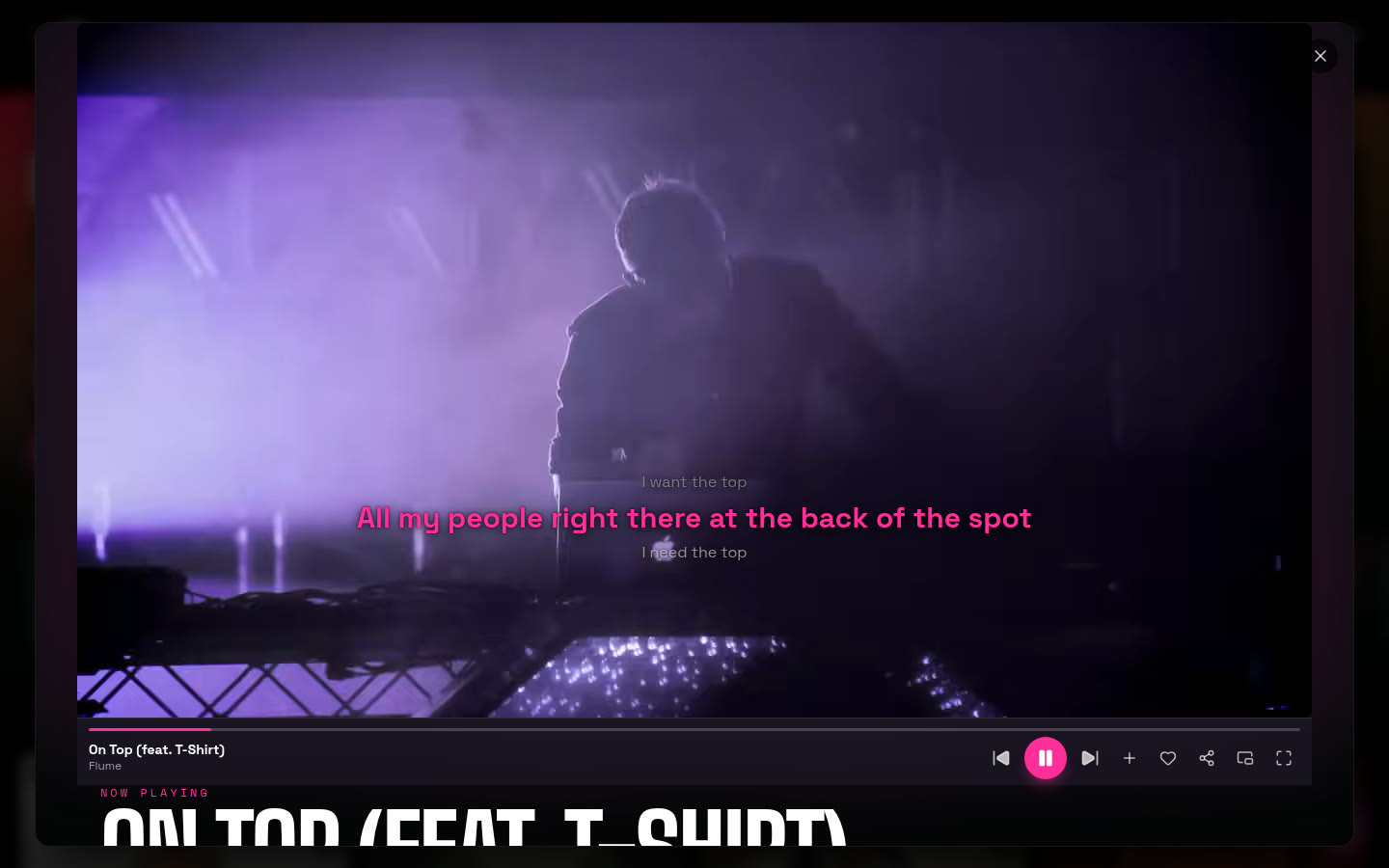
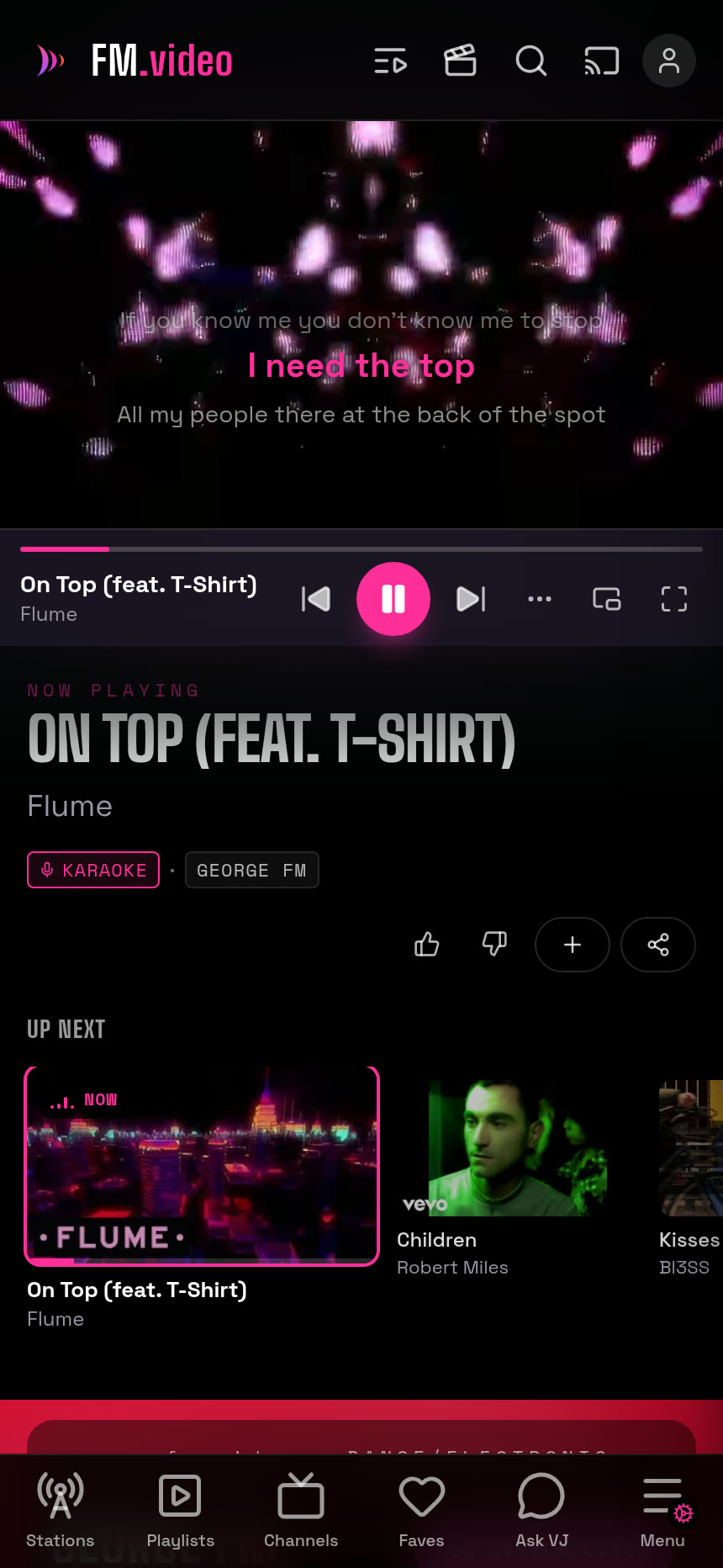
That is karaoke mode. Tap the mic on any track that has lyrics, and the words appear over the video, the current line big and pink, the one before it fading out above, the one after it waiting underneath. It follows the song. When the chorus comes round, the chorus is on the screen.
Where the words come from
Behind every song in the library there is a row that knows a lot about it: the video, how often radio plays it, the genre, the artwork, and, for a growing share of them, the lyrics. Two kinds. Plain lyrics, the full text. And synced lyrics, the same text with a timestamp on every line, the format karaoke machines have used for decades.
An enricher runs every hour and quietly backfills both for songs that do not have them yet, so the share with words keeps rising in the background without anyone doing anything. When you open a track, the app asks for its lyrics once and keeps them; they never change, so they cache hard.
How it stays in time
The player already knows exactly where it is in the song, to the fraction of a second, because it has to for everything else it does. Karaoke mode simply asks it, many times a second, and picks the line whose timestamp has most recently passed. That is the whole trick. No audio analysis, no guesswork, just a clock and a list.
Which means the only thing that can go wrong is that a particular video starts a beat early or late compared with the timestamps, because the video is a different upload from the one the lyrics were timed against. So there is a nudge: two buttons, half a second each way. Tap until the words land, and the app remembers that offset for that exact video, so the next time it is right first time. A small settings strip shows for three seconds when karaoke starts and slides away to a cog so it never sits over the picture.
If a song only has plain lyrics, you still get them, as a scrollable sheet beside the video on a desktop and a bottom sheet on a phone. Not in time, but there.
The part that took the longest
Making it work once was an afternoon. Making it work everywhere took a rethink of the player.
The app used to have two players: a full one, and a smaller one for the home page, playlists and the chat. Karaoke lived in the full one. So it worked on a station page and silently did not exist on a playlist, and the reason turned out to be embarrassingly simple: the smaller player was not being told which song was playing, only which video, and lyrics belong to songs. The fix was not to bolt karaoke onto the second player. It was to delete the second player. There is now one player, mounted once, that every page shares, and it never reloads as you move around the site, which fixed three other things nobody had reported yet.
That is a pattern I have seen a lot building this way. The agent proposes the small fix, I ask why the two players differ at all, and the answer is that they should not. The bigger change is the simpler one.
On the big screen
The place karaoke mode really earns its keep is on a TV. TV mode turns any screen into a music channel, your phone becomes the remote, and the lyrics come up over the video at a size a room can read. The text has a shadow tuned to stay legible over any frame, dark or bright, because a music video is the least predictable background there is.
It is a radio station with the words on. Find a song you know and try it: pick any station at fm.video, tap the mic.
Elsewhere in this log: how the whole thing was rebuilt in a day, and the admin area where I watch the lyrics enricher do its rounds.